Features
A monitor that stays out of the way
Most serial monitors have to open the port first — which means your own application cannot. CommMonitor works one layer lower.
Filters, export and redirect
Filter what you see. Keep what you need.
Narrow a session down while it runs, then take the evidence with you in the format your team already uses.
- Row filter over keyword (HEX / ASCII / remark), direction, port, IRP and protocol.
- Export the visible view as CSV, HTML, ANSI or Unicode text; export the whole frame pool as JSON Lines or PCAP (Professional).
- Auto-save to a log file, split by time range or by file size.
- Forward frames to TCP or HTTP: 4-byte big-endian length prefix + UTF-8 JSON array per batch (POST /batch). Without protocol analysis the frame data goes out as ****.
Sessions
Save the evidence
A capture is only useful if you can hand it to someone else — or open it again next week.
- Save the whole capture to a .cms session file.
- Protect a session with a password.
- Open sessions from the command line or by drag and drop.
Seven views
Seven ways to look at the same capture
One capture pipeline, seven views. Switch between them without re-opening the port or restarting the session. Two of them depend on the licence: the dashboard needs the trial edition or better, and the decoded values in Protocol and Modbus need the Professional edition.
Protocol
Frames decoded by the active protocol plugin, with named fields. Decoding is a Professional feature: without it the view still lists the frames, and every decoded value is replaced by ****.
Modbus
Modbus-specific decoding of function code, address and CRC. Masked as **** unless the licence includes protocol analysis.
Table
One row per frame: sequence, time, PID, port, IRP, length, hex and ASCII.
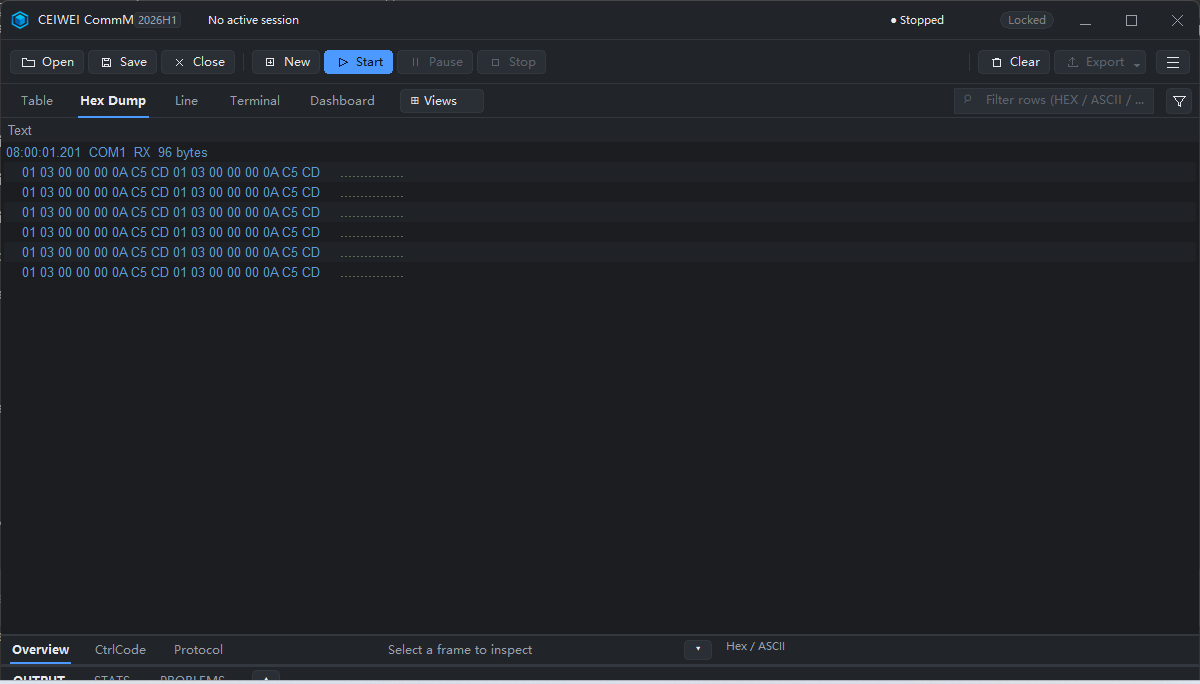
Hex Dump
Offset, hex and text dump, with optional packet merging and column toggles.
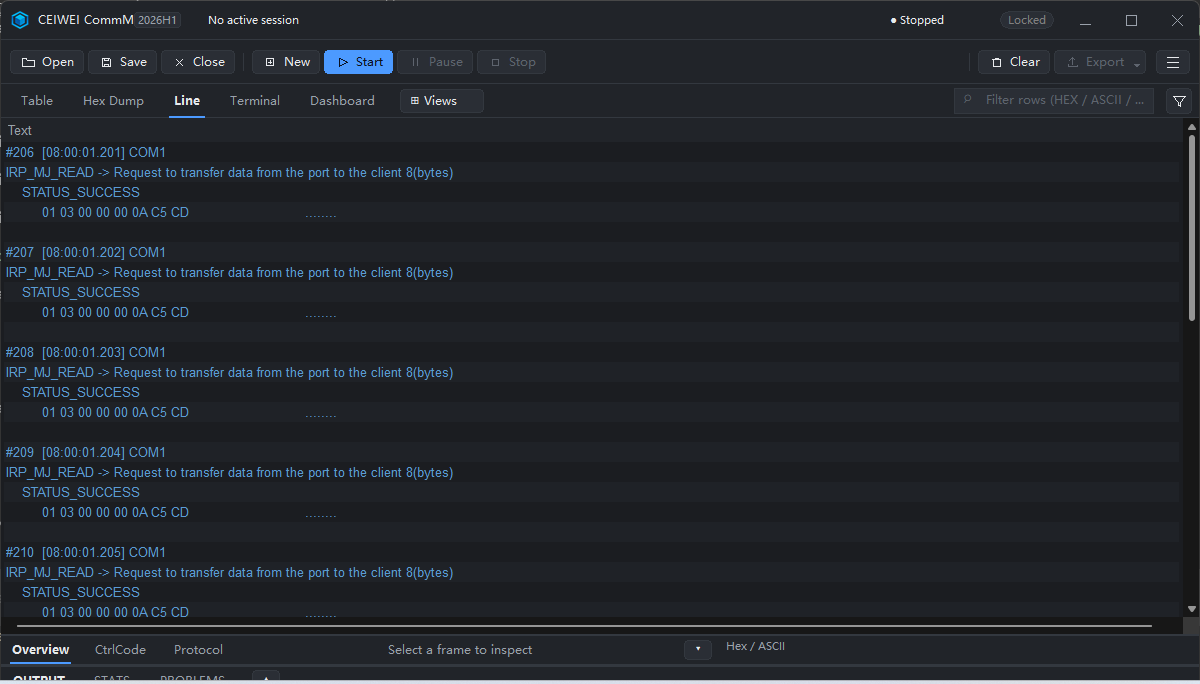
Line
One block per frame: IRP line, status and data or sub-function.
Terminal
A terminal-style view of the same capture.
Dashboard
A local, read-only web view of the live capture. Available from the trial edition upwards.